Last updated on January 18th, 2026 at 06:07 pm
It can be frustrating when you run into issues with your Meta account (Facebook & Instagram) and can’t seem to find a solution to it.
I have seen that one of the most asked questions in most Facebook groups is ”how can I contact Facebook support via live chat?”.
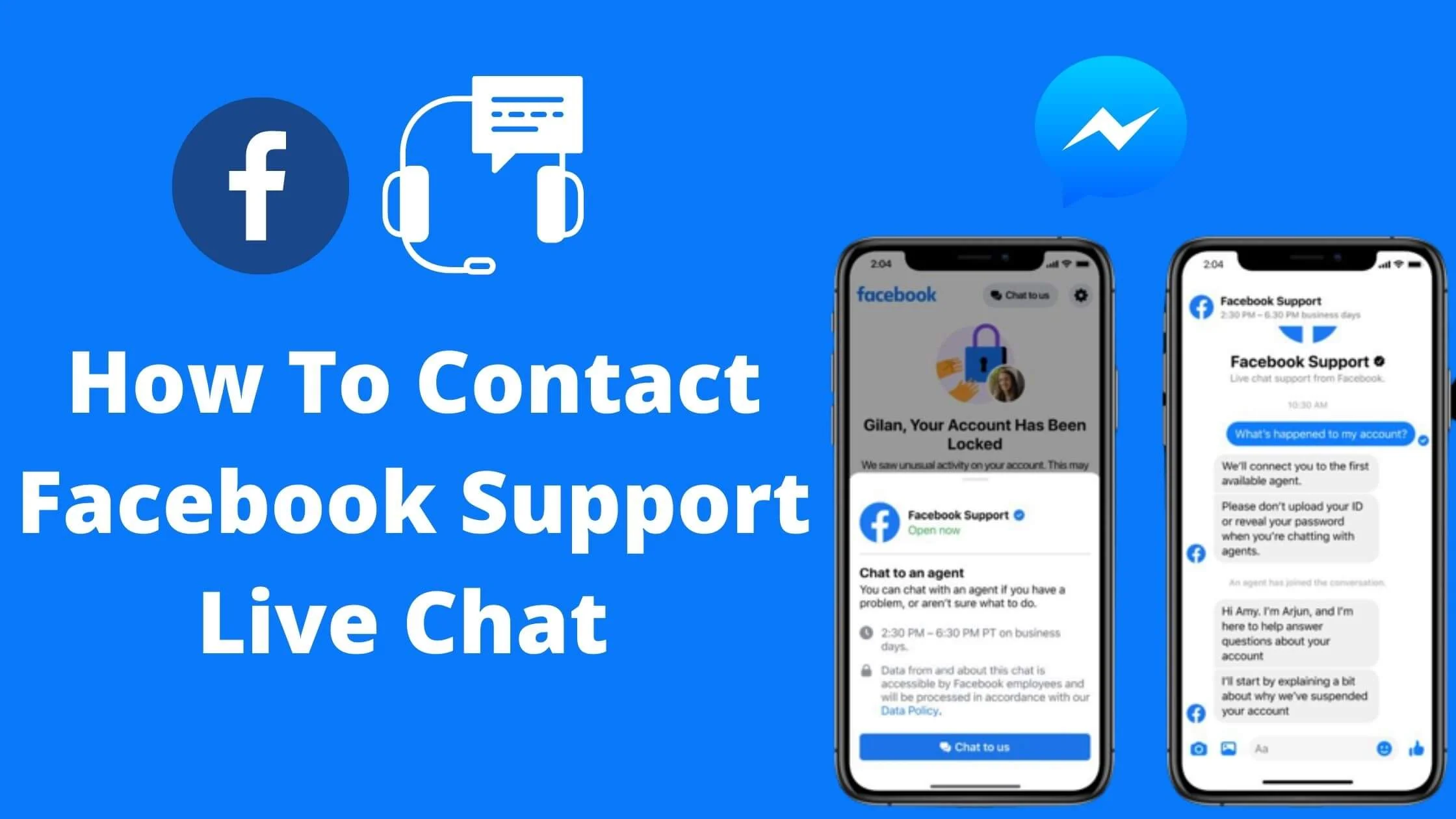
With millions of daily active users on Facebook, it is almost impossible for users not to encounter issues with their accounts.
Meta support live chat is one of the ways to contact the Meta support team directly on your account issues.
I have also detailed other ways to contact the Facebook customer support team really fast after managing over 50+ Meta ad account and reaching to support.
Perhaps you have tried every solution recommended out there and your Facebook account issues persist, it is time to contact Facebook business support live chat.
In this comprehensive guide, I will show you how to contact Facebook support live chat easily and get your account issues resolved really fast.
So, without any further ado, let’s get started.
Common Issues People Encounter on Meta
Some common issues people may face on the platform include:
- Account login and password issues.
- Reporting and blocking users.
- Billing and payment issues.
- Technical difficulties with the website or app.
- Advertisements and promotions not working as intended.
- Restricted and disabled account.
Why You Should Use the Meta Support Live Chat
Meta’s live chat feature allows users to send messages directly to the support team. There is no need to open a ticket and wait for an agent to get back to you.
You can message the support team directly through the website. The best part about it is that the team can also give you a direct phone call to resolve your account issues.
This is a great way to reach out to Facebook’s support team when you have an urgent question.
Meta Live Chat Availability
Who gets chat:
- Ad accounts (any spend level)
- Business Manager/Page owners
- Meta Verified subscribers ($15/mo)
- High-value accounts (10k+ followers, $1k+ spend)
Who doesn’t: Regular personal profiles → forms only.
See Also: How to Get Verified on Facebook for Free
Meta Live Chat Operation Hours
Meta Live Chat is available 24/7, so you can get support whenever you need it.
Whether you have a question about your account, need help with a technical issue, or want to report a problem, a Meta representative is always just a chat away.
This means that you can get the help you need at any time of the day or night, without having to wait for business hours.
Of course, the availability of live chat support does not guarantee an immediate response. Due to high volumes of traffic, there may be waiting times, but Meta representatives do their best to respond as quickly as possible.
If you are in a hurry and need to resolve your issue quickly, you may want to consider reaching out to Facebook through another support channel, such as the Help Center or Community Support.
How to Effectively Communicate with the Meta Support Team
Meta Live Chat is a convenient way to get support for any issues you may be facing with your account.
But to get the best possible outcome from your chat session, it’s important to communicate effectively with the support team.
Here are some tips to help you do just that:
1. Be Clear and Concise
When explaining your issue, be as clear and concise as possible. Provide all the relevant information, including the details of the problem you are facing and what steps you have already taken to resolve it.
The more information you provide, the easier it will be for the support team to understand your issue and find a solution.
2. Be Patient
Live chat support can be busy, and you may have to wait for a response. Be patient, and avoid getting frustrated or angry while waiting.
The support team is doing their best to respond to your request as quickly as possible.
3. Stay Focused
When you are communicating with the support team, it’s important to stay focused on your issue.
Avoid getting sidetracked or discussing unrelated topics, as this can prolong the chat session and make it more difficult for the support team to resolve your issue.
4. Follow Up
If the support team needs more information or has a solution for your issue, make sure to follow up promptly. This will help ensure that your issue is resolved promptly.
How to Chat Meta Support From Ads Manager
If you are an advertiser, you can easily contact Facebook support from your business support home. This new way of contacting the Facebook support team was recently introduced.
To access the Meta live chat support option, follow the steps below:
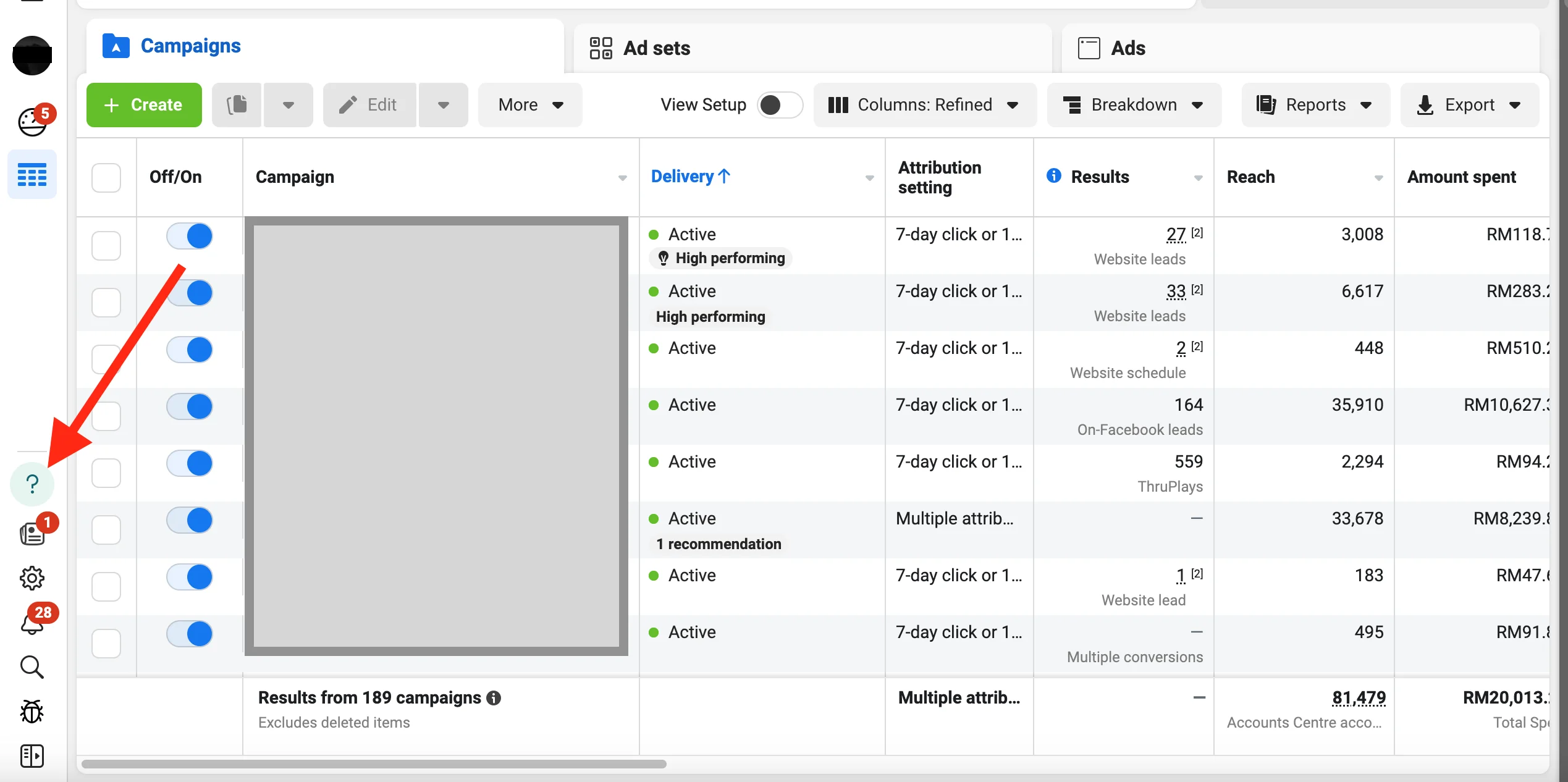
- Go to your Facebook ad manager dashboard.
- Click on the help button(?).
- A help window will open on the right side of your screen.
- Select the issue you’re facing and click ‘Contact Support’
- You will be redirected to your messenger to start the chat with the Meta support specialist.
Note: Make sure to select the exact issue to avoid being provided with resources.
How to Contact Meta Customer Service Live Chat Quickly
Getting in touch with the Meta support team has never been easy until the chat feature for its users was introduced.
To use the Facebook customer service chat, follow the steps below:
- Launch your web browser and navigate to https://facebook.com/business/help
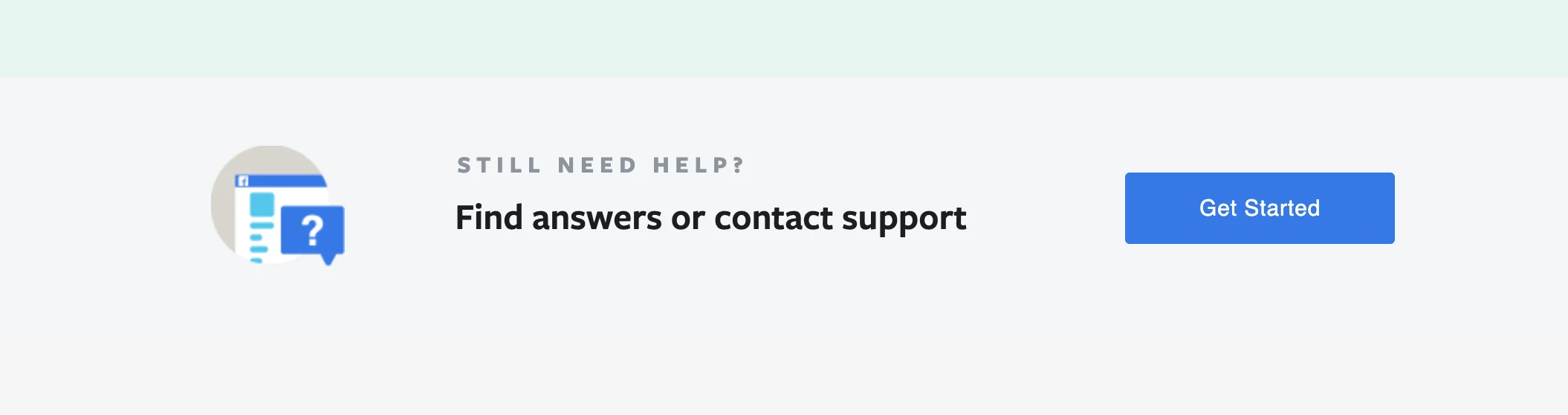
- Next, scroll down on the page to locate Find Answers Or Contact Support.
- Tap on the Get Started button.
- Proceed to find Need Help With Advertising? Then tap on Contact Advertising Support.
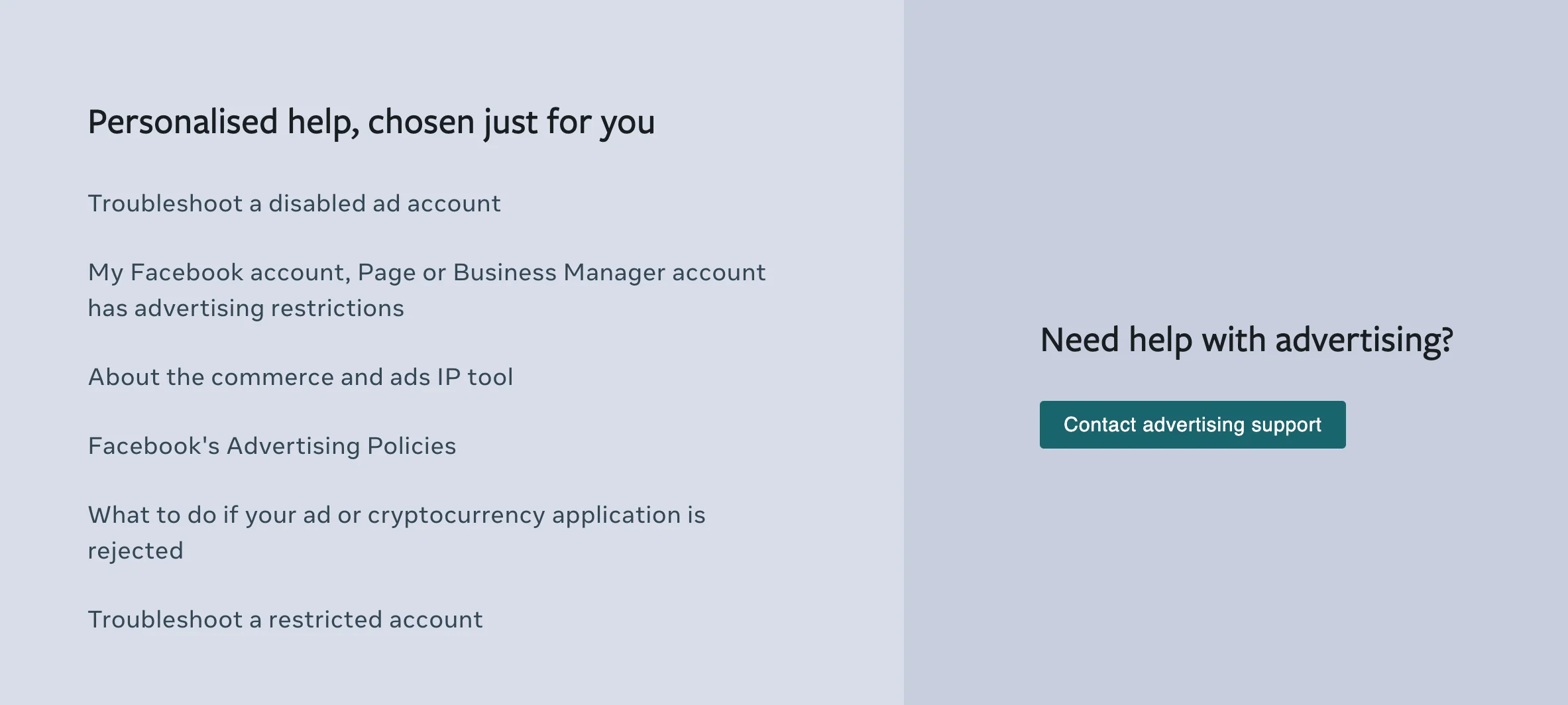
- Go ahead to choose the Facebook ad account that you need help with.
- A list of Facebook help categories that relate to your account issues will be displayed. Tap on it to have access to the ad-related issue that concerns you.
- You may also ignore the text and click on the Contact Support button in that section.
- Next up, enter the reasons why you want to chat with a Facebook representative.
- Then tap on the Start Chat button.
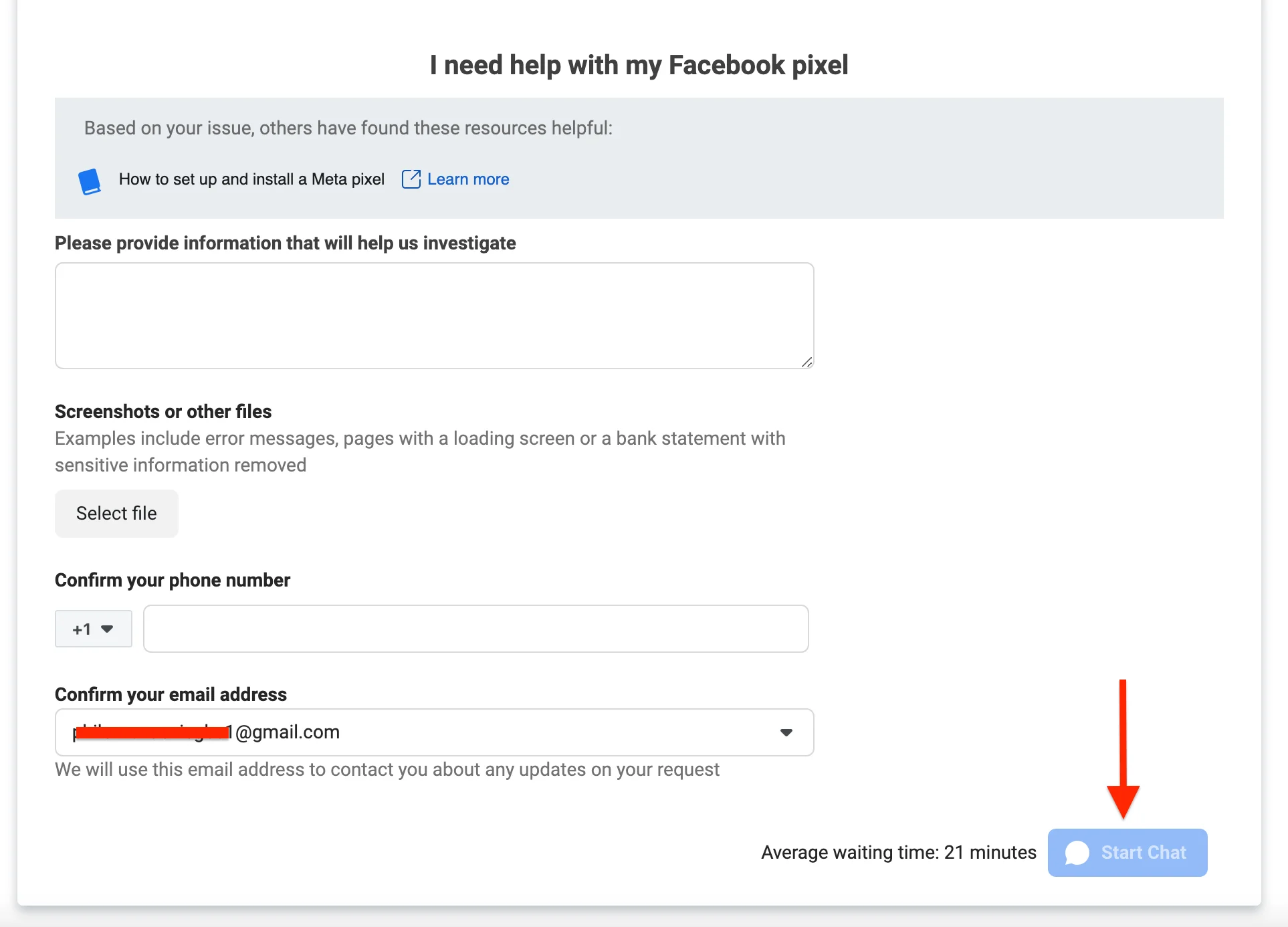
- Wait for a few minutes. You will be assigned a Meta Live Support Concierge Staff that you will chat with via Messenger.
That’s it. You can now relate all your issues to Facebook customer support who will raise a task for you if the issues are beyond his/her scope of work.
You may also want to check out the step-by-step guide here.
What to Say in Live Chat (Scripts That Work)
Open with: “Urgent business issue – ad account [ID] blocked since [date]. Revenue impact $Xk.”
Keep reps engaged:
1. Exact problem + dates
2. Business impact ($$ numbers)
3. What you’ve tried (shows effort)
4. Phone for callback
5. Screenshots ready
Escalation phrase: “Need supervisor – policy misapplied, compliance docs available.”
Live Chat Templates
Ad Account Disabled
CHAT START: “Ad Account [ID] disabled 1/15/26. $2k/mo spend.
Campaigns: [list IDs]
Tried: Appeal form x2
Revenue blocked: $8k
Phone: [NUMBER]
Supervisor needed – docs ready.”
Hacked/Banned Page
“Page [URL] hacked 1/10/26. Unauthorized admin added.
10k followers, Reels revenue source.
Recovery form submitted – no response 72h.
Phone verification: [NUMBER]
Escalate security team.”
Failed Payment
“Payment hold on invoice [ID]. Method verified.
Recent spend: $1,200 Jan.
Business verified, tax docs available.
Phone: [NUMBER] for immediate release.”
How to Contact Meta Through Business Support Home
You can also contact Meta through the business support home. To do so, navigate to your business home through the ads manager by clicking on all tools. On the business support home page, you will see a contact support button. Click on it and follow the prompt.
List of Account-Related Issues that FB Live Chat Support Can Fix
Wondering if Facebook live chat support can fix your account issues?
Here’s a list of Facebook-related issues that customer support can help you resolve.
- Facebook page verification
- Blocked Facebook account
- Disabled Facebook account
- Hacked Facebook account
- A Facebook page name change
- Merging of Facebook business page
- Unpublished Facebook business page
- Billing issues
- Facebook ad account threshold
- Facebook account login issues etc.
All of these and more are what Facebook support can help you resolve via live chat.
Benefits of Self-Service Meta Support
Why would someone want to contact Facebook support via the live chat option? Below are someone of the benefits:
1. Fast and Easy
Facebook support live chat is designed to reduce the proximity between users and the Facebook team. With Facebook live chat support, users can easily have their issues resolved in real-time.
2. Reliable
The live chat option is reliable because it connects with a point of contact at Facebook who is trained to resolve issues that you are experiencing. Since they are experts, you can be confident in their recommendations.
3. It is Accessible
Facebook live chat is accessible to users on the platform as long as you have an active Facebook account. This is one of the best parts of the live chat option.
Why Can’t I See the Meta Support Live Chat Feature?
If you cannot see the FB customer support chat feature on your account, it could be that the option is yet to be available in your region.
Users who do not have a Facebook ad account do not have access to FB live chat.
Also, I discovered that users who have violated Facebook policies do not have access to the Facebook support live chat option.
Make sure that you read the Facebook community guidelines and be compliant.
How to Contact Meta Support Live Chat FAQs
Below are some of the frequently asked questions on how to contact Facebook customer support via chat.
Does Facebook Have a Live Chat Support?
Facebook has a very responsive live chat support feature for users to reach out to Facebook directly.
To use the Facebook live chat, visit https://facebook.com/business/help. You must have a Facebook ads account to be able to use this feature.
How Do I Contact Meta Live Support Line?
Currently, Meta has disabled the support lines option for users. Hence, you cannot reach out to Facebook via Phone call except if they call you.
The option available to users is the FB live chat support and Facebook Marketing Expert support for those who qualify for the exclusive program.
Can I Talk To a Live Person On Facebook?
Yes, you can. With the Facebook support chat, you can talk to a Facebook representative via chat who is trained to help you resolve all of your issues.
How to access Meta Customer Support Chat?
If you’re a Meta advertiser, you have direct access to Facebook chat support to engage with Facebook customer care.
With the FB support chat, you can resolve any issue that you have with your ad account and other Meta products.
What Are The Benefits Of Meta Live Chat Support?
The major. the benefit is that it allows users to instantly connect with a customer service agent via live chat, instead of having to go back and forth using email.
This makes it easier for people to get their questions answered immediately, while also reducing the wait time for customers.
How Do I Get In Touch With Meta To Report A Problem?
If you are having a problem with your Meta account, you can simply go to the Meta live chat support page at https://facebook.com/business/support/get-help to start a chat with a Facebook customer care representative.
You can then report the issues you are having with the Facebook rep via chat.
Can I Chat With Meta Live Support Without An Ads Account?
You cannot chat with a Facebook representative without an ads account. One of the requirements to have the feature is an ads account.
Hence, without an ads account, you cannot access the Facebook support live chat.
How to access Facebook ads live chat?
If you’re a Facebook advertiser, you have direct access to Facebook ads live chat to engage with a Facebook representative.
With the FB support chat, you can resolve any issue that you have with your ad account.
Does Facebook have a live support chat?
Facebook has a very responsive live chat support feature for users to reach out to Facebook directly.
To use the Facebook help chat, visit https://facebook.com/business/help. You must have a Facebook ads account to be able to use this feature.
Is Facebook Support Chat available to everyone?
Facebook support chat is not available to everyone. To use the Facebook business support chat, you must have an ad account and a valid ID for Facebook identity confirmation.
How to chat with Facebook support?
To chat with Facebook support, follow the steps below:
- Launch your web browser and navigate to https://facebook.com/business/help
- Next, scroll down on the page to locate Find Answers Or Contact Support.
- Tap on the Get Started button.
- Proceed to find Need Help With Advertising? Then tap on Contact Advertising Support.
- Go ahead to choose the Facebook ad account that you need help with.
- A list of Facebook help categories that relate to your account issues will be displayed. Tap on it to have access to the ad-related issue that concerns you.
- You may also ignore the text and click on the Contact Support button in that section.
- Next up, enter the reasons why you want to chat with a Facebook representative.
- Then tap on the Start Chat button.
- Wait for a few minutes. You will be assigned a Facebook Live Support Concierge Staff that you will chat with via Messenger.
That is how to chat with Facebook support.
How can I chat with Meta support?
You can chat with Facebook support by visiting https://facebook.com/business/help and following the prompt.
The Facebook support chat link grant you access to Facebook help chat.
Can I talk to a live person at Meta?
Yes, you can talk to a live person on Facebook with the Facebook support chat. To talk to a live person at FB, visit https://facebook.com/business/help.
What is the Meta live chat support link?
The Facebook live chat support link is https://facebook.com/business/help. You can chat with Facebook online via this link and have your issues resolved much quicker.
Make sure to use the Facebook online chat help when next you have challenges with your account.
How can I chat with Meta Live Agent?
You can chat with a Facebook support agent by visiting https://facebook.com/business/help and following the prompt.
The Facebook support chat link grant you access to Facebook help chat.
Conclusion
Facebook is one of the most used social media platforms in the world. However, it’s not always easy to get help from Meta.
Years ago, the company’s support team is notoriously difficult to access. This can be a problem for businesses that rely on Facebook as a major source of lead generation or customer service.
With the introduction of the Meta business support live chat, businesses now have confidence in using the Facebook family of apps.
I hope that this guide on how to contact Meta support live chat agent helps you resolve your issues super fast.
Was this guide helpful?
1 reader found this helpful (0% positive)

 Primegate Digital publishes practical, step-by-step guides on social media, SEO, and digital marketing — trusted by millions of readers worldwide.
